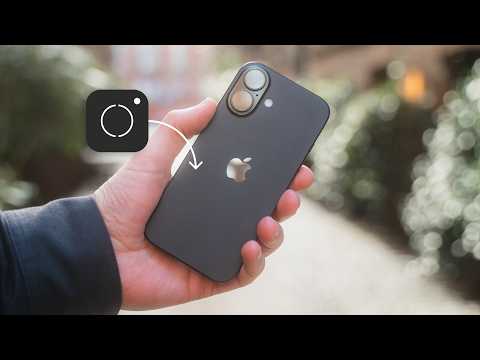
You don't need an iPhone Pro to shoot RAW photos
Brief Summary:
You no longer need to buy an iPhone Pro to take gorgeous RAW photos—just use the affordable Pro Camera by Moment app! This video walks step-by-step through why shooting in RAW is better for editing, how to set up the app for the best shooting experience, and what features make it feel like using a pro camera. The presenter compares results with Apple's own ProRAW, showing they're virtually identical, so anyone with a regular iPhone can level up their photography—no extra $200 required.
1. RAW Photos on an iPhone 16—Without the Pro Model
Have you always wanted to shoot RAW photos on your iPhone but didn't want to fork out for the Pro model? George starts by sharing his own experience: after upgrading from an iPhone 14 Pro to a regular iPhone 16, he realized the one big photography feature he missed was RAW photo capability.
"I don't really need or even think about most of the Pro features. But in my non-Pro iPhone 16, there is one feature I'm missing, and that is the ability to shoot RAW photos."
But he wasn't ready to spend an extra $200 just for that one feature. That's when he reveals there's a better, much cheaper way.
2. Pro Camera by Moment—The Affordable RAW Alternative
George introduces the Pro Camera by Moment app, available for only $8.99, and it's loaded with professional camera features for both filmmakers and photographers. This app lets you shoot in RAW format without needing the Pro model iPhone.
"Instead of spending the extra $200 on a Pro model iPhone, you can pick up the Pro Camera by Moment app for only $8.99."
He points out that while the app is popular among smartphone filmmakers, it deserves more love from photographers too, and he sets out to show why.
3. RAW vs HEIF Images—Why RAW Matters
Next, George explains why RAW photos matter even more for photographers who want to edit their images.
- The standard iPhone saves photos in the HEIF format, which is great for saving space.
- But HEIF images "quickly fall apart" when you try to edit them—shadows lose detail, colors shift, and you just can't recover as much info.
- RAW files, in contrast, are much more flexible and behave more like files from a dedicated digital camera.
"With RAW photos from the Pro Camera app, you are going to see a much more flexible image you can edit, much the same as a dedicated camera's RAW file."
4. Setting Up the Pro Camera App for RAW
George offers a quick guide to getting started so you're always ready to shoot RAW:
- Enable RAW Format—Tap the RAW button at the top of the app so every shot is in RAW.
- Make Moment Your Default Camera—Replace the stock Camera app shortcut on your lock screen with Pro Camera by Moment, and set it as your Action button shortcut too.
"You can start treating your Moment camera app as your default camera."
A pro tip—always check you're in RAW mode before shooting, to avoid disappointment later!
5. RAW Preview and Editing
He makes an important point: The preview on your phone isn't exactly how the final RAW photo will look when you open it in your editing app. Instead, what you see is just a reference, similar to a viewfinder on a traditional camera.
"The image you're seeing through the viewfinder isn't what the final RAW is going to look like in your editing software."
You can review the exact output by flipping between RAW and RAW Preview inside the app's gallery.
6. Manual Exposure and Focus—Pro-level Control
The Pro Camera app gives you powerful manual controls:
Exposure
- Adjust shutter speed and ISO (how sensitive your camera is to light).
- Tap the EV (Exposure Value) button to brighten or darken your photo in real-time.
"You can be much more creative with your shots and have much more control over the final output from your iPhone camera."
Focus
- Manual focus lets you creatively blur backgrounds or make your subject sharp.
- Enable focus peaking to highlight the area in focus with the color you choose—making manual focusing much easier.
George's favorite is using the camera control function, which makes manual focus feel "much more like focusing using a dedicated camera."
7. Advanced Exposure Tools—Histogram, Zebra Clipping, and Bracketing
The app also has some pro photographer tools to help deliver fantastic results:
Histogram
- View a graph that shows how bright or dark your photo is, so you always get the right exposure.
- If you don't see this tool, just enable it in the menu.
"The histogram shows a graph of the tonal values of your image… from black on the far left to white on the right."
Zebra Clipping
- See overexposed (too bright) areas as red stripes and underexposed (too dark) ones as blue stripes.
- Helps you quickly correct exposure before you even take the photo.
"These will help you in balancing your exposure, especially in those high dynamic range images."
Bracketing & HDR
- For scenes that are very bright and dark at the same time, bracketing automatically takes three pictures: one for shadows, one normal, and one for highlights.
- Combine them in editing for an HDR (high dynamic range) photo, but remember: shooting in bracketing mode saves three big RAW files every time!
8. Moment Lens Integration—Supercharging Your Phone
George demonstrates using Moment's own attachable lenses:
- Select which Moment lens you've attached and the app auto-calibrates.
- He showcases the 58mm T-series lens, which is tighter than the iPhone's 2x zoom.
"When you combine this with manual focusing, it feels much more like using a dedicated camera."
Changing lenses and using manual focus on your iPhone is "the closest my phone has ever felt to a dedicated camera." Moment's mounting system makes attaching and swapping lenses a breeze.
9. Comparing Pro Camera RAW vs Apple ProRAW
Finally: is there a difference between Moment's RAW files and Apple's ProRAW from the Pro models? George tested and edited both using the exact same Lightroom presets:
"When we're applying the same preset to either the Apple ProRAW from the iPhone 14 Pro or the Pro Camera app RAW from the iPhone 16, the results are identical."
He shares that the edited shots look the same, proving you don't need a Pro model to get Pro-quality images.
He also plugs his own Lightroom presets available for download and encourages viewers to pick up the Pro Camera app from the App Store if they want the same editing flexibility.
Wrapping Up
You don't need to pay extra for a Pro model iPhone to enjoy stunning, editable RAW photos. With the affordable Pro Camera by Moment app, you can unlock pro-level control and flexibility—even adding external lenses to boost your creative options. Now, everyone's iPhone can feel like a "real camera," giving you the power to shoot, edit, and share without limits! 🚀
"If you want to watch another Moment video, YouTube thinks you're going to love this one. I have no idea what it is, but apparently it's your new favorite video."
Key Takeaway:
Anyone with a regular iPhone can achieve pro-level photography—no expensive upgrades needed, just a fantastic app and a bit of curiosity!
Need a summary like this?
Get instant summaries with Harvest