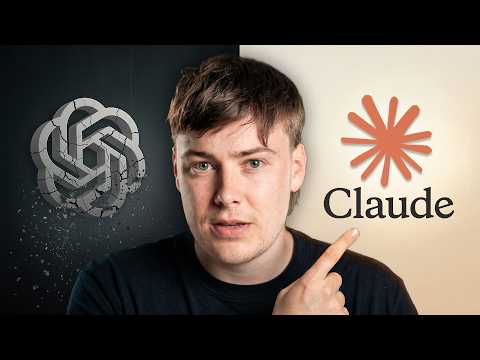
Why I Switched From ChatGPT To Claude (you should too)
This video argues that Anthropic's Claude has pulled ahead of ChatGPT as the best "single model" to pay for in 2026, mainly due to faster feature releases and a more practical workflow. The creator walks through Claude's advantages—writing quality, Artifacts (live side-by-side coding/visuals), Projects + stronger memory, and Cowork (local folder agent)—while still acknowledging where GPT remains strong. You'll also get a simple walkthrough for exporting your ChatGPT data so switching feels less scary.
1. Intro: "If you can only pick one model… switch to Claude" 🚀
The creator opens by assuming most viewers are ChatGPT users, then immediately challenges that default choice. They're careful to say ChatGPT isn't "bad," but the value-for-money gap has widened fast in recent weeks because Claude is shipping big features that are hard to ignore.
"I'm not saying ChatGPT is a bad model… I still sometimes use it to this day."
"There is a much better model on the market that… presents much better value for money."
They frame the whole video as a practical comparison: why they personally switched to Claude as their go-to, plus a "live demonstration" of things Claude can do that GPT struggles with.
"If you are currently using ChatGPT and you can only pick one model, I would be switching over to Anthropic's Claude."
2. The core issue with GPT: sticky UI + slow shipping 🧠
Next, they explain why people stay on GPT even when it's not clearly the best anymore: the product is "sticky." The more you use it, the more it learns you, and the harder it feels to leave.
"It has an extremely sticky user interface… it learns more about you, so it becomes harder and harder to migrate away."
But the creator's main complaint is speed: OpenAI's feature rollout feels slow compared to competitors.
"Their rate of shipping has been extremely slow compared to other models."
They emphasize this isn't about GPT being "inherently" bad—it's that Claude has become better across multiple categories, especially from a normal user's perspective.
"It's not a bad model inherently, it's just that Claude has become so much better and wins across a variety of fronts."
3. Writing quality: Claude sounds more human ✍️
The first major advantage: Claude's writing output. The creator says Claude's tone reads more naturally and feels more "human," which matters for content creation.
"The outputs on Claude are a lot more human… making it the better fit for most writing tasks."
They specifically call out using Claude for:
- content creation
- scripts
- articles
- clearer structure and strategic thinking inside the writing
"In terms of its… thought process behind the way it lays out writing, I find it's better than GPT."
They add an important nuance: GPT can still be stronger for certain types of thinking—especially "CEO/executive" style strategy.
"Where GPT is arguably better [is] strategy… from a business executive CEO perspective, I will still often gravitate towards GPT."
Still, the verdict for writing is clear:
"On the writing front, Claude is a lot better."
4. Artifacts: live dashboards, spreadsheets, and visuals side-by-side 📊✨
Then comes what they treat as a "game-changer": Artifacts. They describe Artifacts as pop-up panels beside your chat where Claude can generate and edit code or visual outputs live—while you continue chatting.
"Artifacts are these pop-ups that open side by side with your chat that allow you to code in real time."
They're impressed by how quickly Claude can create usable visual tools—like a spreadsheet or a portfolio dashboard—then iterate instantly as you type.
"The fact you can get live artifacts… whilst you are typing is absolutely insane."
A highlight example: they asked Claude to build a sample financial dashboard for a $100,000 portfolio, including visuals like a net worth graph and asset allocation, and claim they "vibe coded" it extremely fast.
"I vibe coded this in literally 30 seconds."
They broaden the point: Artifacts make Claude strong for anything visual—websites, funnels, dashboards, presentations—because the output isn't just text; it's a working visual representation you can modify through conversation.
"You can use this to create websites, funnels, pretty much any visual representation on the spot."
And they stress this is an area GPT "struggles with" compared to Claude.
"For anything visual, Claude is just much better."
5. Projects + files: better organization and more reliable context 🗂️
Next, the creator explains Projects in Claude: you can make separate folders (projects) for different parts of your life/work, each with its own context and instructions.
"You can create individual folders which act as specific context files for something that you're doing."
Inside a project, you can create sub-chats and give Claude persistent guidance on how to behave, plus attach lots of documents so answers stay consistent with your real data.
"You can put files in… I've actually put up to 36 documents in there… so it can automatically scan that data."
They give concrete examples of how this helps:
- A personal "one-pager": your background, goals, business objectives—so Claude answers in a way that's tailored to you.
- A financial analyst project: your portfolio approach, time horizon (like 10–20 years), and preferences—so you don't have to repeat yourself constantly.
"Then you don't need to keep reminding it."
They acknowledge GPT can attach files too, but say Claude's layout + memory behavior makes it feel like it forgets less.
"I've just personally found that… it forgets far less."
6. Memory update: Claude syncing memory across chats 🧩
A big "recent" improvement (mentioned as announced within the past week): Claude's memory now syncs across chats, eliminating the common frustration where one conversation remembers something and another doesn't.
"Claude announced a new update which has enhanced memory even further."
"Now memory syncs across all of your chats."
They contrast this with GPT, where memory can feel fragmented across separate chats (unless you do extra setup).
"You know on GPT where you might message one chat and then the other one might not remember?… that is something of the past with Claude."
They do mention GPT workarounds—like creating structured profiles (they mention JSON profiles) or using custom GPTs—but argue Claude's approach is simply more intuitive.
"I'm not saying it's impossible… but I just think Claude does it a little bit better."
7. Coding: Claude's day-to-day speed + value (with a nod to Codex) 💻
Now they get into coding. Their stance is nuanced:
- For very heavy, deep coding, OpenAI Codex 5.3 may have a higher success rate.
- For day-to-day coding, Claude Code with Opus 4.6 is extremely strong, especially for cost efficiency.
"For really in-depth code, Codex 5.3… often has a higher success rate."
"The sheer cost efficiency that you get from Opus 4.6 with Claude Code is insane."
They also recommend a hybrid workflow: code in Claude, then use Codex to review or validate.
"You can actually use this in conjunction with 5.3 to review your work."
They connect this back to Artifacts: even without the full Claude Code environment, Claude's chat experience already includes a "light version" of building mini apps via Artifacts.
"You kind of have a light version of Claude Code in your chats… through the Artifacts."
8. Coding from your phone + "consumer-first" shipping speed 📱⚡
A standout feature claim: Claude now lets you access your computer's terminal from your phone, enabling "vibe coding" anywhere.
"They announced a new update where you can actually code from your phone accessing your computer's terminal."
They paint the lifestyle angle clearly:
"You could be in the car… on the beach… and your computer can be upstairs, and you could be vibe coding."
Then they zoom out to the product philosophy: Anthropic is "shipping" rapidly, pushing frequent improvements directly to users.
"Claude is like, 'We are just going to constantly ship stuff… and make the value proposition so tantalizing that you're going to have to switch over.'"
In contrast, they describe OpenAI as moving slower, possibly due to broader commercial priorities.
"OpenAI is really slow to ship… they're trying to appeal to more people."
9. Skills + writing styles: making Claude sound like you 🎯
The creator says Claude does a strong job following a custom writing style, and introduces Claude Skills: reusable "modules" you can invoke (they describe using a slash command) so Claude consistently writes in your voice or follows a defined behavior.
"You can create a custom writing style… Claude does a better job at listening to that writing style."
"You can actually engineer a skill… whenever you're writing, you can forward slash the skill."
They emphasize Skills aren't only for writing—these can apply to many tasks—and claim Anthropic opened up a larger library of Skills that used to be more "enterprise" focused.
"They opened up a bunch of skills… and opened it up to anybody to use."
10. Cowork: Claude as a local-folder agent that can do things 🧰
They call Cowork one of the biggest game-changers—something GPT "doesn't have" in the same way. Cowork, as described here, is like giving Claude access to a specific folder on your computer so it can work with your files: organizing, editing, extracting insights, and helping run workflows.
"Cowork… allows you to organize, edit, adjust, or work within a local folder on your computer."
Examples they give include:
- finding insights within documents
- organizing screenshots
- optimizing your week using calendar files
- more advanced automation by connecting to APIs (they mention using Claude Code to do this)
"Cowork is an agent that can do anything for you within any folder on your computer."
They highlight a personal use case: building a "personal operating system dashboard" that includes finances and a daily brief, powered by Cowork + Claude Code.
"That is my personal OS with my finances, my daily brief every morning… scanning market research and reporting… possible due to Cowork and Claude Code."
11. Why he prefers Claude overall: "all in one" 🧠🧱
After the advanced features, the creator clarifies the real reason they recommend Claude: it's not only about hardcore agents or coding. It's the fact that Claude feels well-rounded and integrated:
- good memory
- good project setup
- easy coding
- easy visuals (Artifacts)
- strong general performance
"What I like is the fact that it's all in one."
They admit GPT may still be slightly better at strategy (they reference GPT 5.2), but say Claude is close—and writes better.
"It's maybe not quite as good at strategy as GPT 5.2, but it's almost there and it writes much better."
12. Pricing: $20 vs $20, with rate-limit tradeoffs 💳
They compare pricing directly:
- ChatGPT Plus: $20/month
- Claude Pro: $20/month
"ChatGPT Plus is 20 a month, Claude Pro is 20 a month."
They mention both also have higher enterprise tiers (a few hundred dollars a month). The key difference, in their experience: Claude can hit rate limits sooner—especially using Opus 4.6.
"You'll run into slightly more rate limits on Claude especially when using Opus 4.6."
They suggest using Sonnet 4.6 as a workaround: almost as smart, and still stronger than many lower-tier GPT options.
"You can get around this by using Sonnet 4.6… almost as smart."
They also mention Perplexity (specifically "Perplexity computer") as a way to combine models in one interface, reducing copy-paste friction.
"You can actually do research or strategy on GPT and then you can do writing on Claude."
13. How to switch: exporting your ChatGPT data and moving your context 🔁
They address the biggest psychological barrier: "All my memory and history is inside GPT." Their solution is to export your ChatGPT data and then import it elsewhere.
They give step-by-step instructions:
- In ChatGPT, click your profile
- Go to Settings
- Go to Data controls
- Click Export data
- You'll receive an email; save the export (they mention a ZIP file)
- Import it into Claude (after creating an account)
"Click on settings… data controls… export data… it will send you an email with the data."
They also recommend testing Claude on the free tier before canceling anything.
"Before you cancel your GPT subscription… play around with Claude a little bit even on the free tier."
14. When he still uses GPT: strategy sessions + better voice prompting 🎙️
The creator doesn't claim Claude replaces GPT for everything. Two areas where GPT still stands out for them:
- Long strategy discussions
- Voice prompting (they say GPT's built-in voice is better; Claude desktop lacks native voice prompting and requires dictation)
"GPT… has better voice prompting."
"On the desktop app, Claude doesn't even have voice prompting. You have to use dictation…"
Their real workflow becomes: strategize in GPT, then move the output to Claude for writing, scripting, or building visuals/dashboards.
"When I… want to create it into writing… or… a dashboard or something visual, then I just flick it over to Claude."
They also share a clever migration trick: use GPT to summarize what it knows about you into a clean "one-pager," then paste that into Claude Projects to bootstrap memory/context.
"I'm moving to another LLM. I need all the necessary context from this chat… everything you know about me…"
15. Outro: the recommendation and what to do next ✅
They wrap up by reiterating the main pitch: if you've been on ChatGPT for a long time, it's worth seriously considering the switch because Claude is moving fast and stacking features that improve daily productivity.
"They are shipping at a rapid pace."
And they close by saying they'll keep sharing how they use both tools—though Claude is currently their main one.
"I do… leverage [GPT]… just nowhere near as much as I'm using Claude at the moment."
Conclusion: The practical takeaway
Claude wins in this video mainly because it feels like a stronger all-around productivity system: better writing, standout Artifacts for visuals, cleaner Projects + memory, and powerful Cowork automation with local files. GPT still matters for strategy and especially voice-based prompting, so a two-model workflow can be ideal if your budget allows. If switching feels risky, export your data, start with Claude's free tier, and rebuild your workflow using Projects and a personal one-pager.
Need a summary like this?
Get instant summaries with Harvest